Advanced example. RapidKiosk is Coulee Tech's always-on kiosk tablet, built around RapidDashboard. The clinic, companies and people here are made up, and the tablet below runs in your browser with sample data. ← Built with RapidDashboard
Patient check-in · Kio is awake

Check-in, without the clipboard.

RapidKiosk turns a tablet into an always-on check-in desk. Patients find their appointment, update what changed and sign by touch, the front desk sees them arrive in RapidDashboard, and between patients the screen is a poster.

Check in a patient →
Front desks to try
3
Smallest touch target
56px
Clears for the next person
20s
One minute, no sound needed. A patient check-in, then the same tablet in a plant lobby and at a trade show. Download
Try it

Check yourself in, in your browser.

The tablet signs itself in and opens the check-in full screen, the way it does every morning. Pick a front desk, tap the poster and check in. Nothing here is stored or sent anywhere.

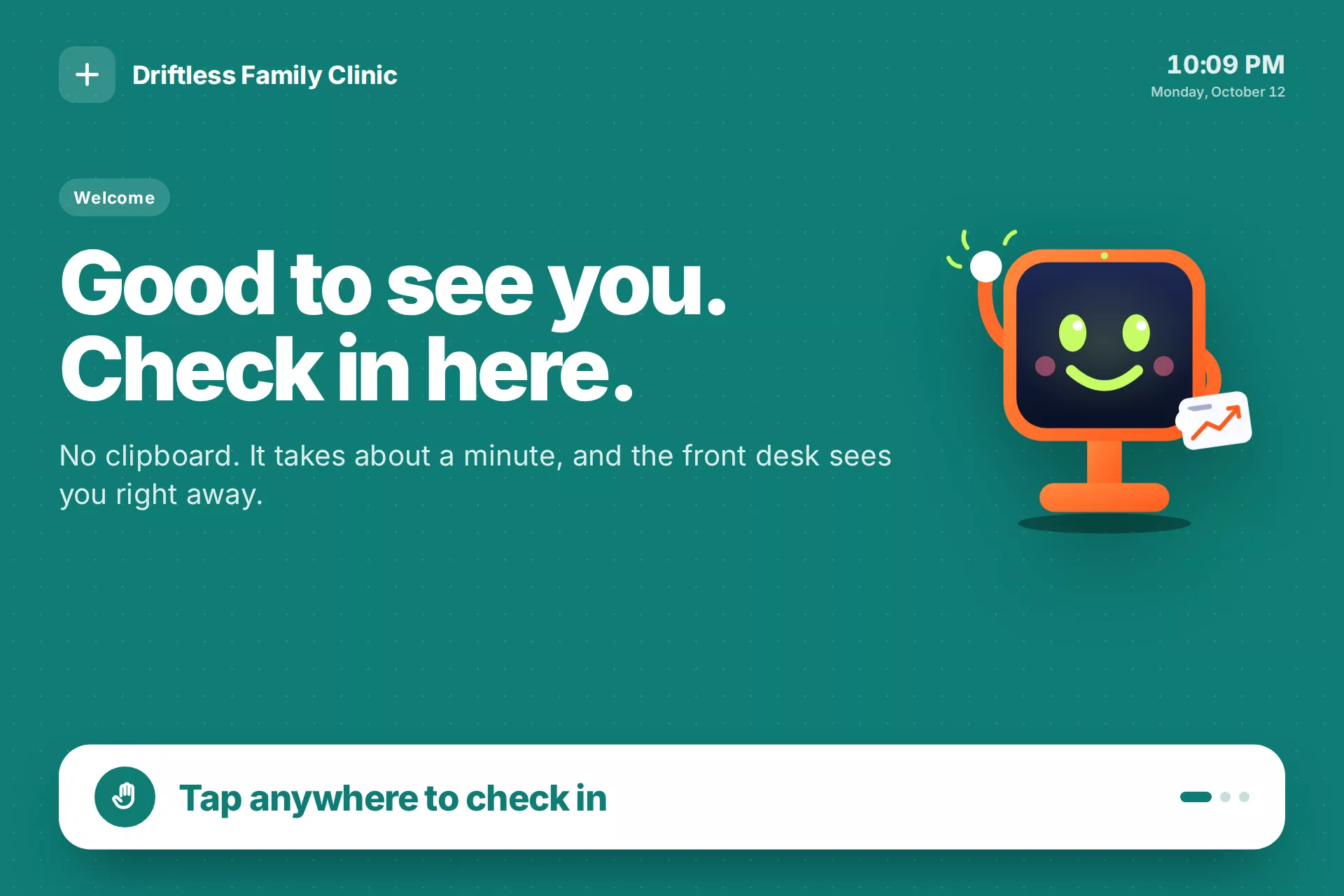
The clinic's poster on RapidKiosk: Good to see you. Check in here.
Laid out for a Surface Go 2: 1280 × 853 at 150% scaling, touch first. Open full screen ↗
The poster scenario

A patient check-in in five screens.

About a minute at the tablet replaces the clipboard, the photocopied insurance card and the front desk retyping it all. Every screen has one question and buttons sized for a thumb.

The clinic poster with Kio waving: Good to see you. Check in here.
Between patients: a posterA welcome, the live wait time from RapidDashboard and this month's reminders. A tap anywhere starts the check-in.
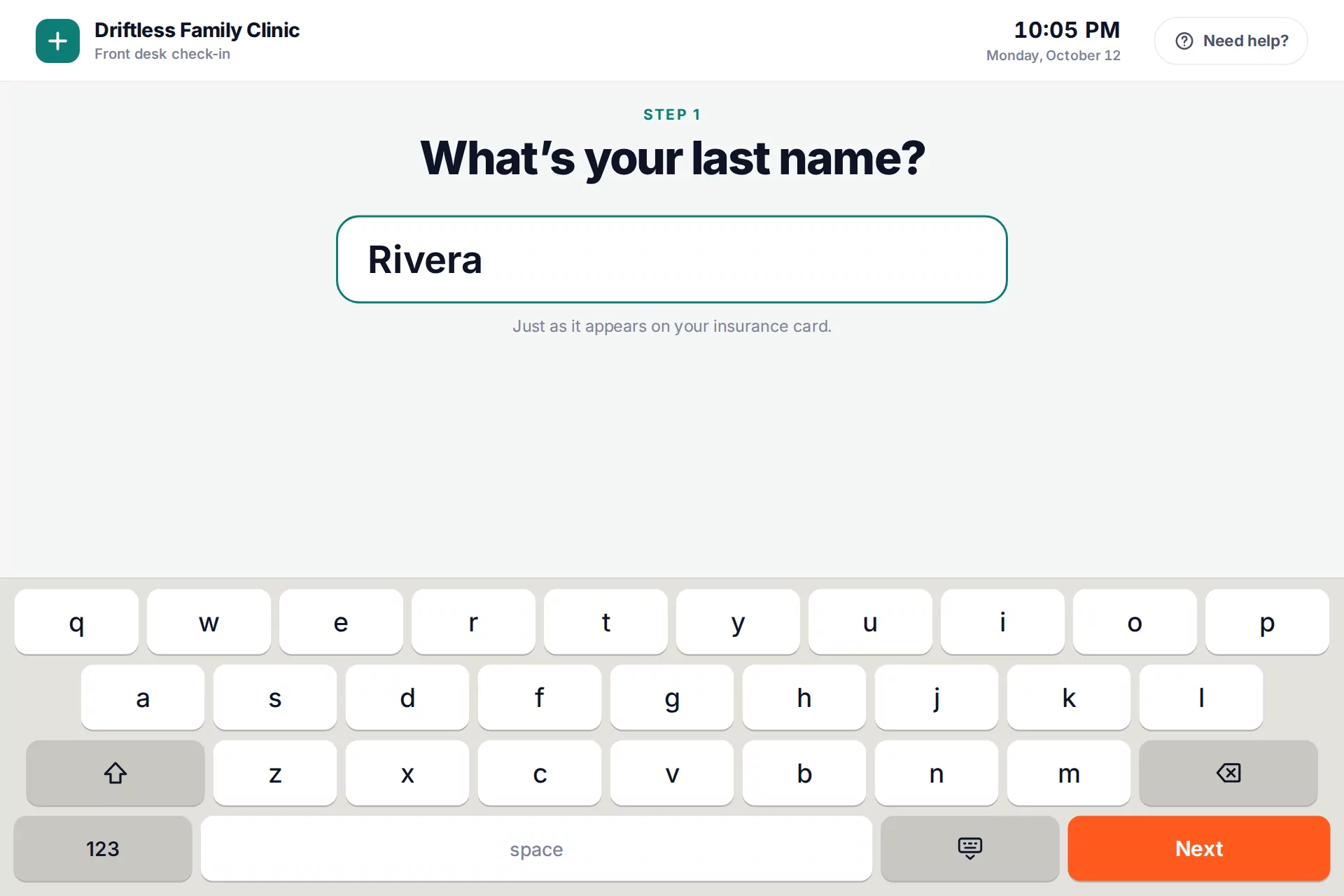
What's your last name? with a large touch keyboard
Name and date of birthA big touch keyboard and a keypad. Nothing to wipe down but the glass.
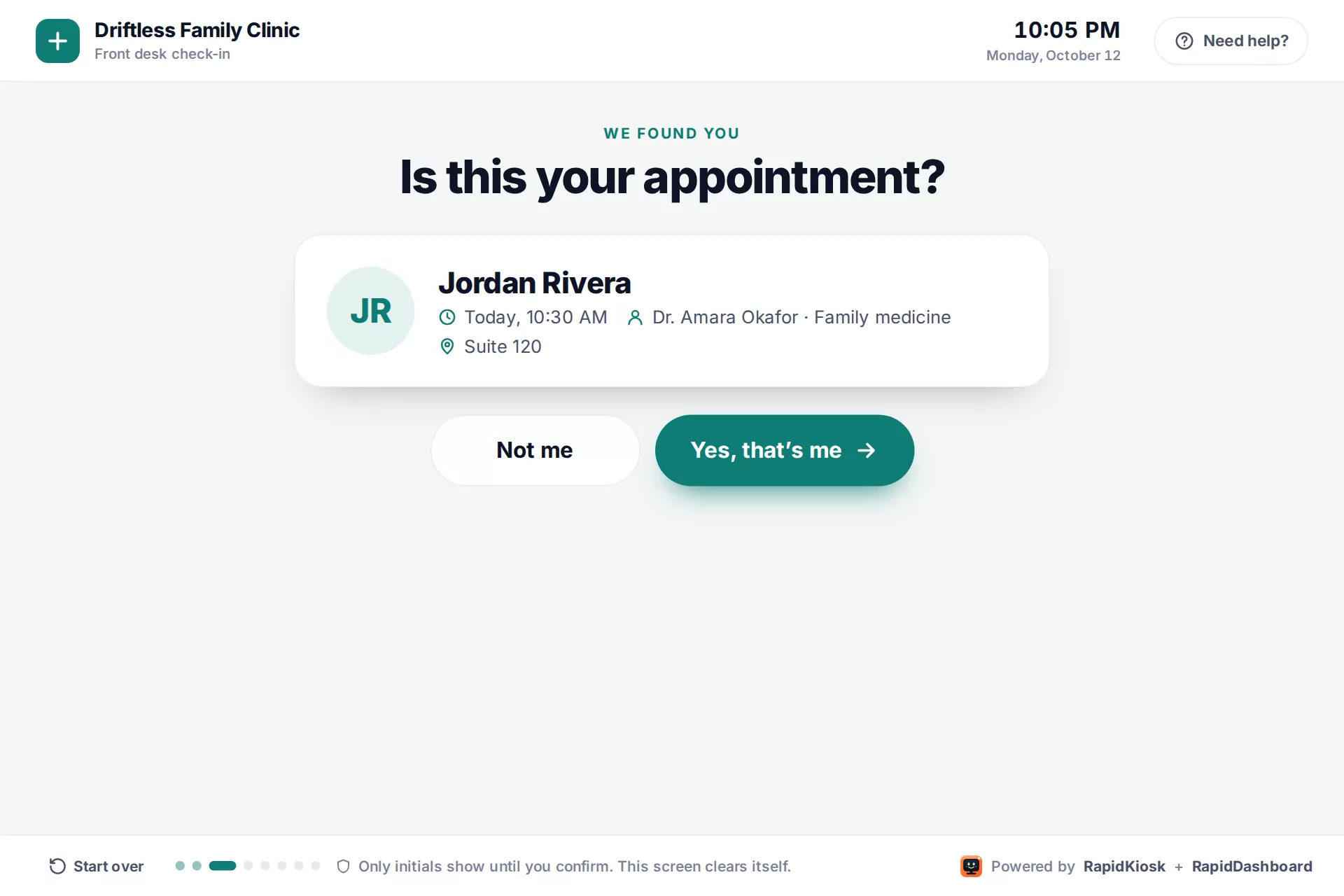
Is this your appointment? Jordan Rivera, today at 10:30 with Dr. Okafor
Find the appointmentOnly initials until the patient confirms it's them.
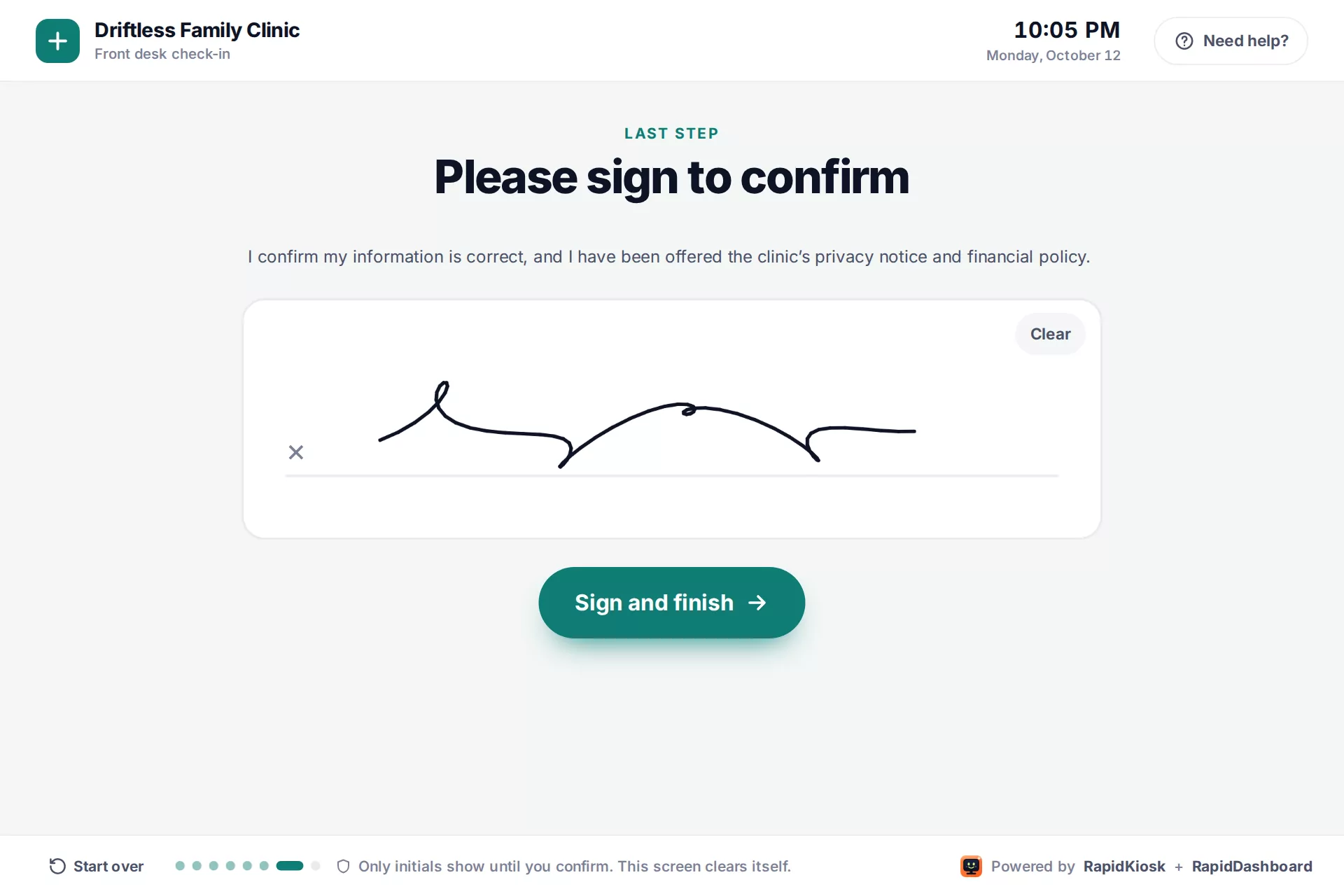
Please sign to confirm, with a finger signature
Catch what changed, then signNew insurance? Hold the card to the camera. Then sign with a finger.
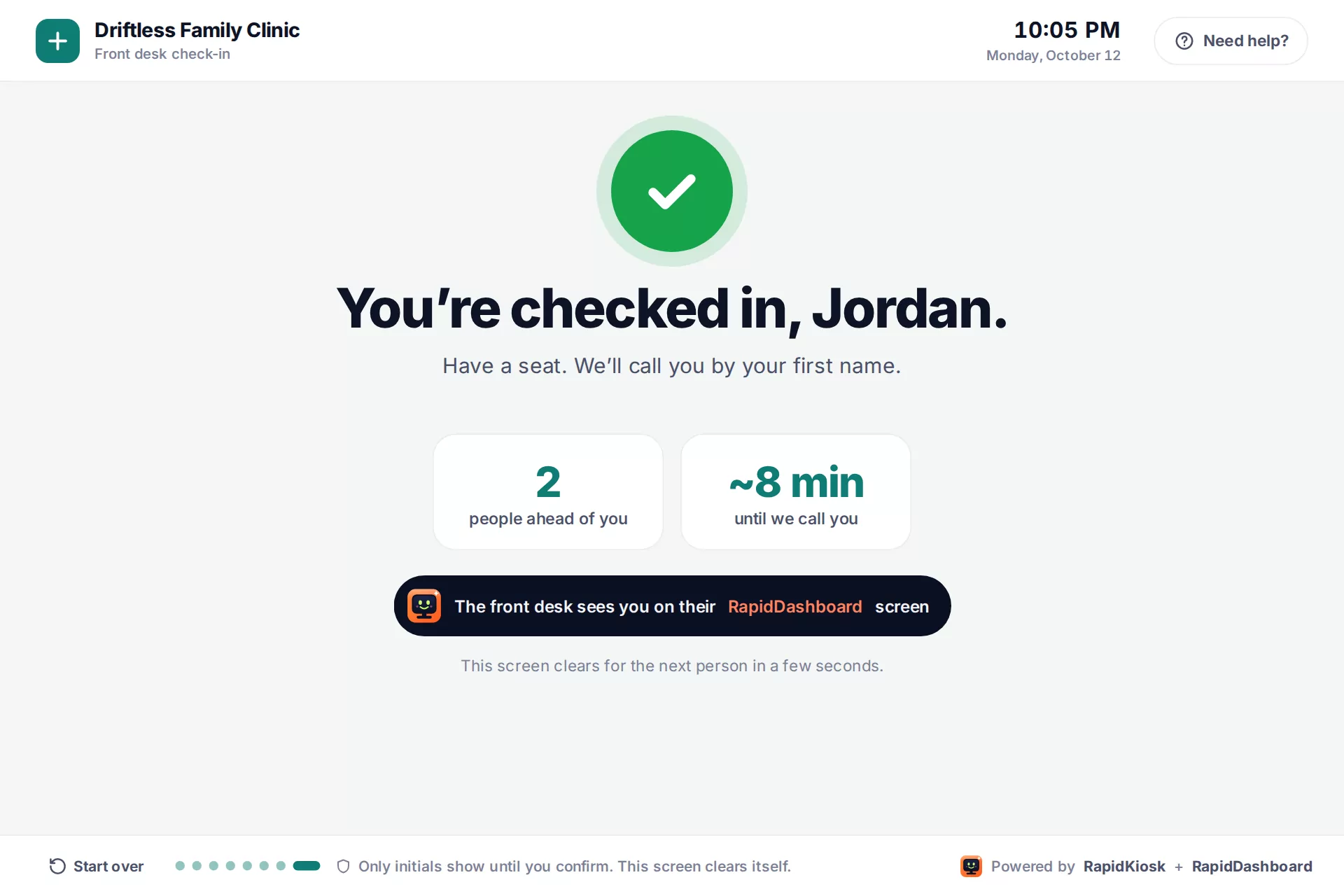
You're checked in, Jordan. 2 people ahead of you, about 8 minutes
Checked inThe wait, in plain numbers. The screen clears itself 20 seconds later.

The front desk sees it in RapidDashboard. Each check-in lands on the clinic's front-desk board: who's here, for which provider, what changed and how long they've waited. The poster reads the same board to show the live wait.

Front desks

One tablet. Every front desk.

The kiosk doesn't change: a poster while it waits, a few big questions, a signature, and the result on RapidDashboard. What changes is who walks up and which Rapid app is behind the screen.

RapidKiosk patient check-in: You're checked in, Jordan
Clinic front desk

Patient check-in

Patients find their appointment, catch what changed (address, insurance card, pharmacy), answer the screening question and sign. The desk stops retyping clipboards and starts with what's new.

In the demo
RapidKiosk + RapidDashboard · pairs with RapidTablet at the counter
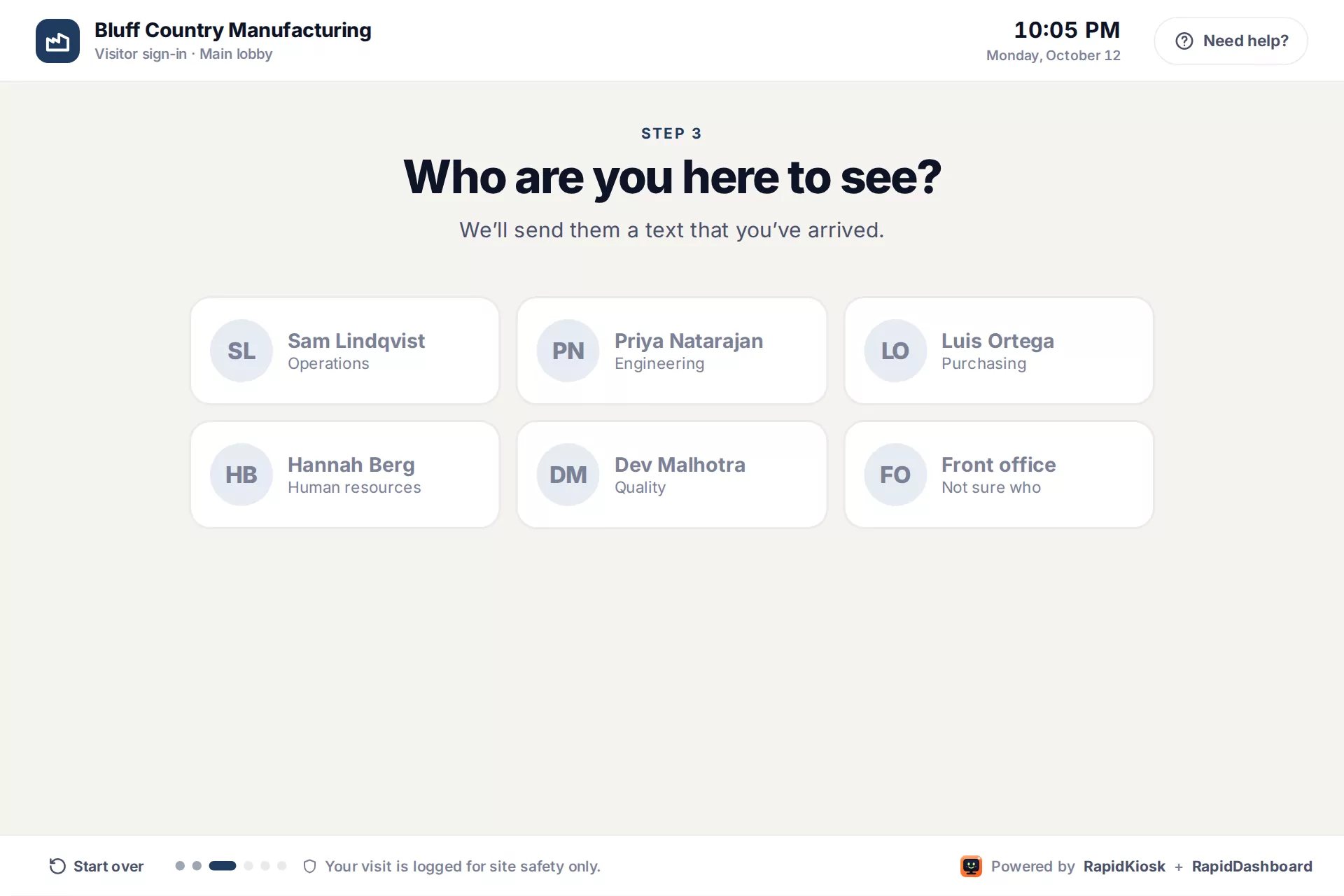
Visitor sign-in: Who are you here to see?
Office or plant lobby

Visitor sign-in

Name, company, who they're seeing, the safety rules and a signature. The host gets a text and the visit is logged in RapidDashboard.

In the demo
RapidKiosk + RapidDashboard
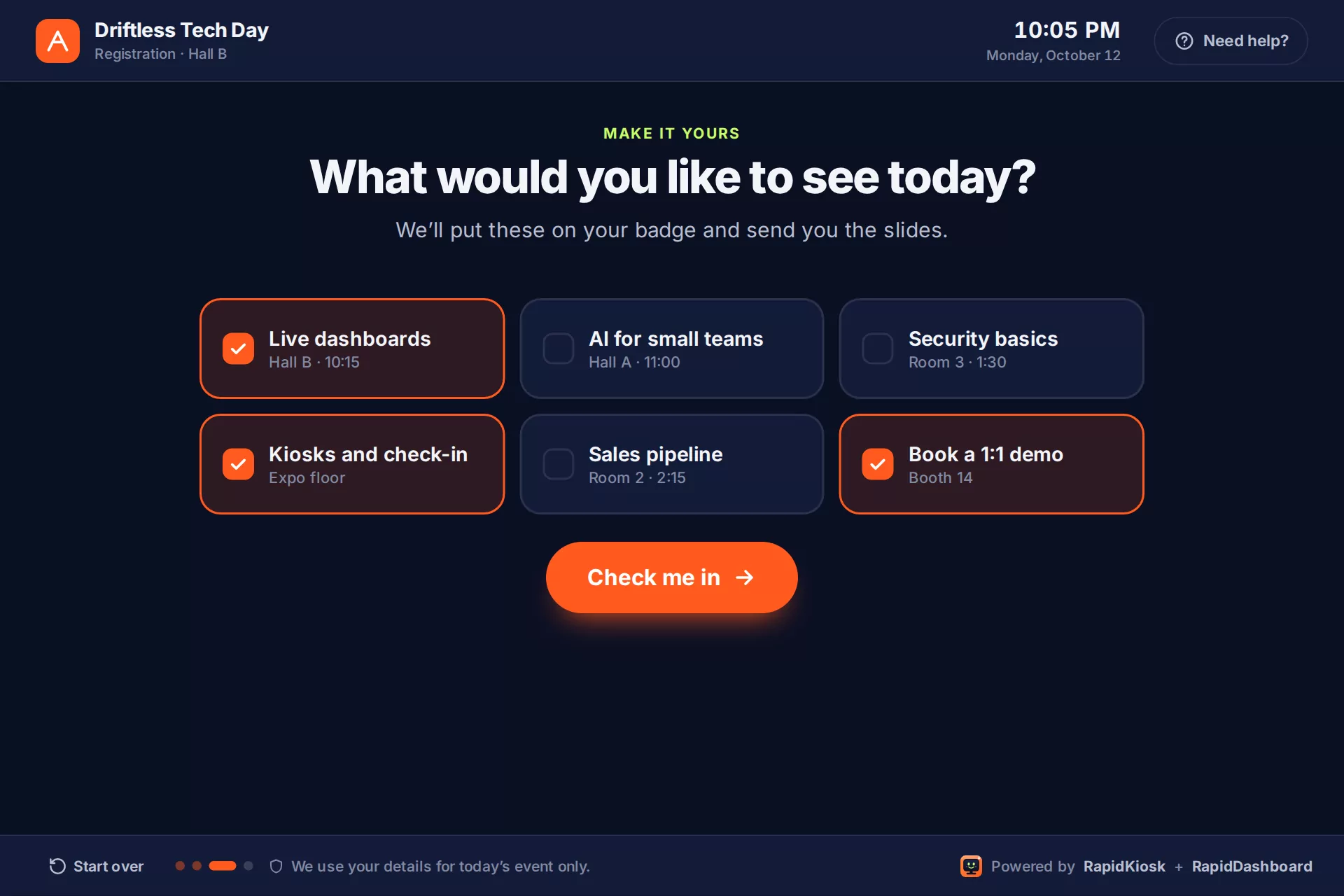
Event check-in: What would you like to see today?
Trade show or event

Event check-in

Scan the ticket's QR code with the front camera, confirm, and pick sessions and a 1:1 demo. Every arrival lands on the event board.

In the demo
Pairs with RapidTradeshow
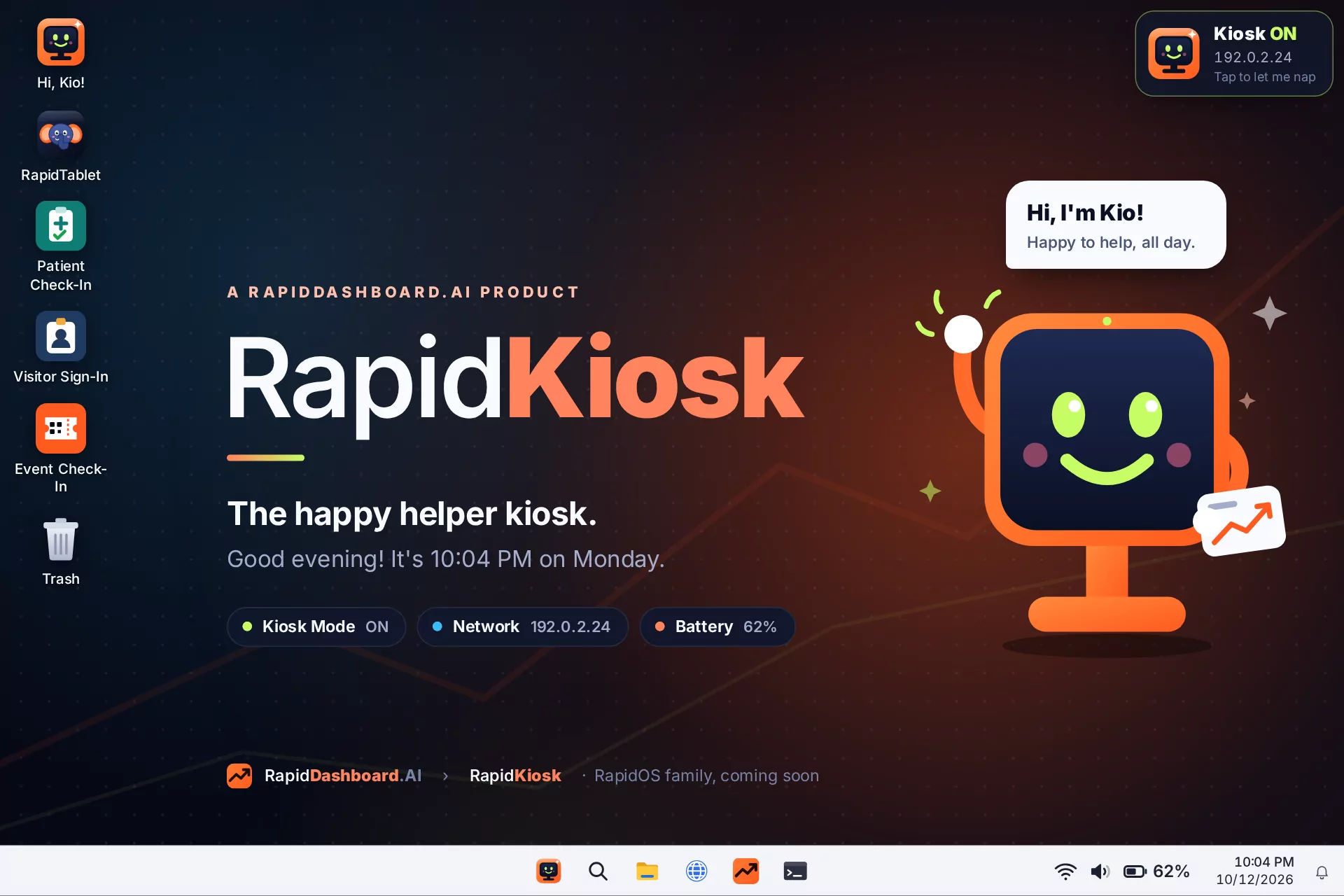
The RapidKiosk desktop with the check-in apps and Kio waving
Behind the counter

Staff side

Escape closes the kiosk app for staff with a keyboard. The desktop has every check-in app and the Control Center for Wi-Fi, sound and Kiosk Mode.

RapidOS on the tabletSee the screens →

More places it fits in the Rapid app family

What it does

Four jobs, so nobody babysits the screen.

A check-in screen fails in boring ways: it falls asleep, it lands on a login prompt, it loses Wi-Fi, or a patient closes the app. Each of these jobs handles one of them.

01

Start itself

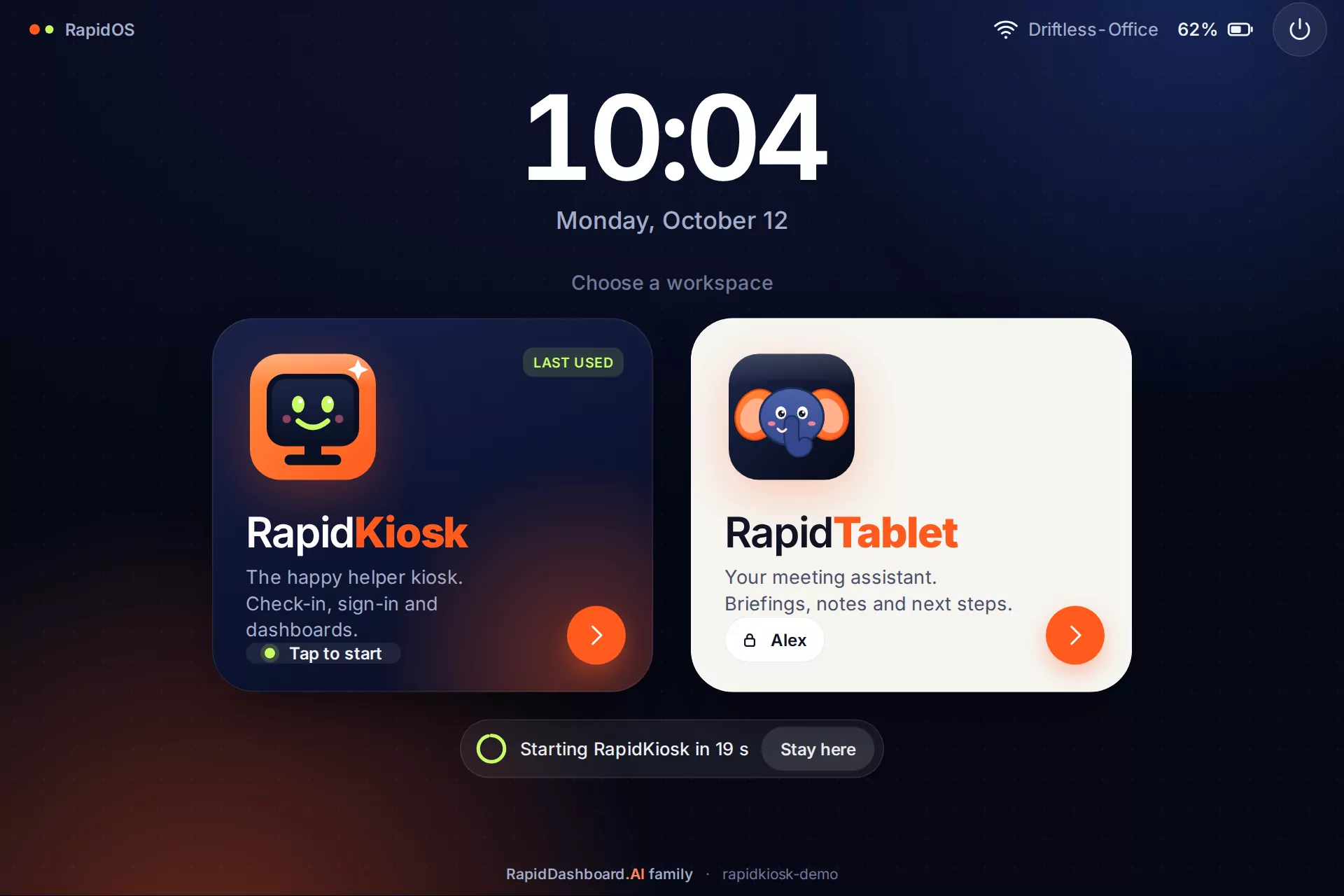
After a reboot it shows the edition chooser, counts down, signs in and opens the check-in full screen. Any tap stops the countdown.

Sign-in + countdown
02

Stay awake

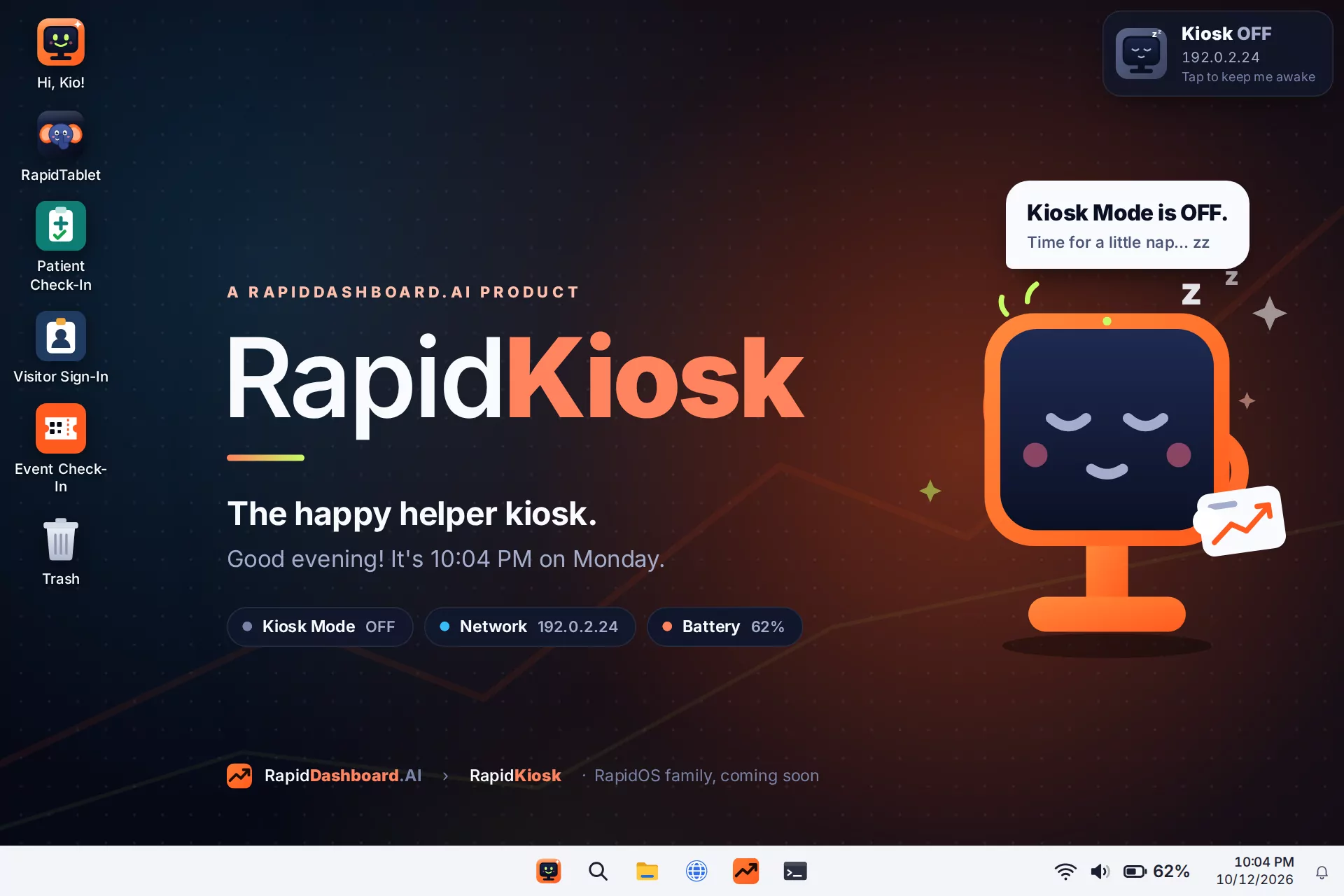
Kiosk Mode turns off sleep, screen blanking and power saving in one tap. Kio's face tells you which way it's set.

Kio awake / asleep
03

Fix itself by touch

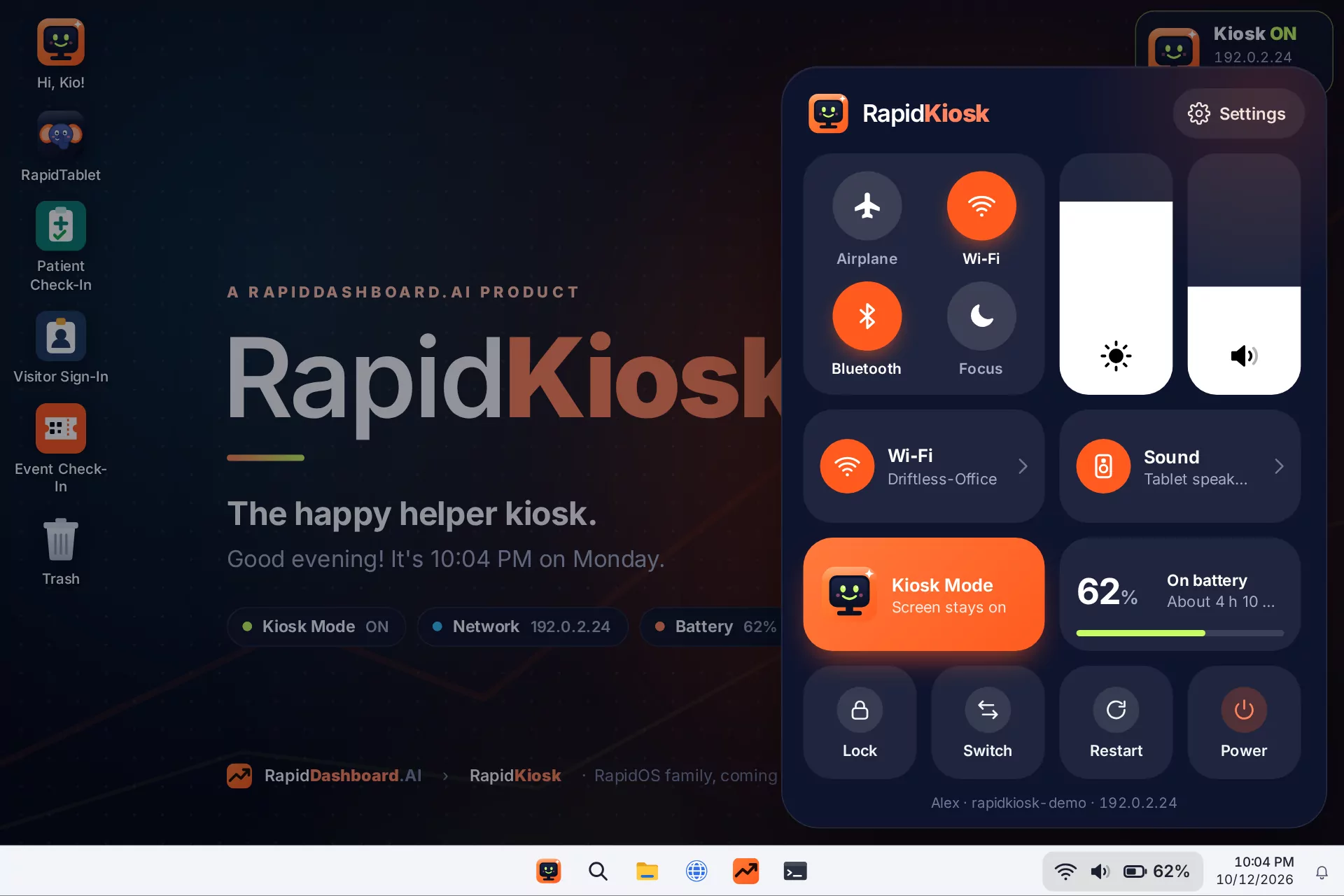
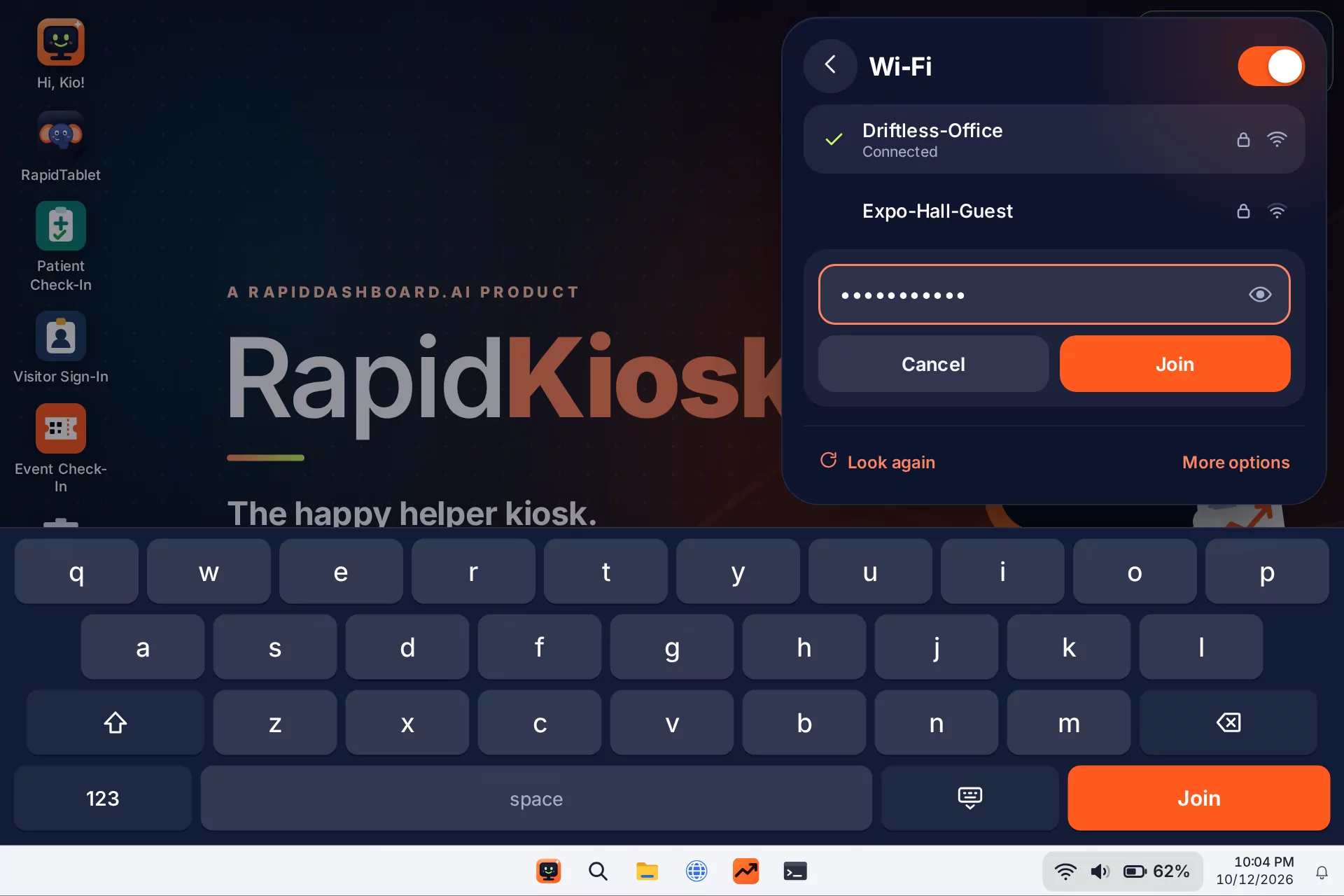
New Wi-Fi password? The Control Center lets the front desk join a network, swap speakers or dim the screen without a keyboard.

Control Center
04

Run the check-in

Check-in, sign-in and dashboards run full screen with no window controls. Escape closes only kiosk apps, so staff can get out and patients can't stumble out.

Full-screen apps
Kio awake
Kiosk Mode on

Kio is awake

The screen never sleeps or dims. The desktop pill and the taskbar both say ON, with the tablet's address for remote help.

Kio asleep
Kiosk Mode off

Kio is napping

Normal power saving comes back after hours. One tap turns it on again.

Underneath

Every screen a patient sees is ours.

Stock Linux shows 16-pixel tray icons and gray dialogs. RapidKiosk replaces each one a person touches with a big, branded screen.

Sign-in screen with two large edition buttons
Sign-in: pick an editionOne big button per edition. After a power cut it counts down and opens RapidKiosk on its own.
RapidKiosk desktop with the check-in apps and Kio waving
The desktopKio waves, the check-in apps wait on the left, and three pills show Kiosk Mode, network and battery at a glance.
Control Center open over the desktop
Control CenterWi-Fi, Bluetooth, brightness, volume, Kiosk Mode and power in one iPad-style panel.
Joining a Wi-Fi network with the touch keyboard
Join Wi-Fi by touchPick a network and type the password on a keyboard sized for fingers.
Desktop with Kiosk Mode off and Kio asleep
Kiosk Mode offKio naps and the screen is allowed to sleep, so it's obvious when the kiosk won't stay on.
How we built it

A stock tablet, rebuilt as a product.

RapidKiosk is plain Debian underneath. Each step below replaced one piece of stock Linux that a patient or the front desk would touch. All of it was built by describing it in plain English to an AI coding assistant.

HardwareSurface Go 2, 10.5″ touch
Screen1920 × 1280 at 150%
BaseDebian 13 + XFCE
PagesHTML in WebKit, Python glue
Kiosk appsBuilt in RapidDashboard
1

Start from stock

Debian 13 · XFCE · Surface drivers

A Surface Go 2 with Debian and XFCE. The front cameras needed out-of-tree drivers, so the check-in can read an insurance card, a ticket QR code or a badge.

2

Brand every surface

GRUB · boot splash · sign-in · wallpaper · os-release

One folder of SVG art (Kio, the wordmark, the icon) renders every branded piece: the boot menu, a splash where Kio bobs while dots pulse, the wallpaper and the account picture. Debian stays Debian underneath, marked with the standard VARIANT_ID=rapidkiosk, and an apt hook re-applies the branding after updates.

3

A sign-in screen with editions

RapidOS greeter · WebKit page on LightDM

The login screen is a web page: a big clock, then one button per edition. If it ever crashes or takes more than 45 seconds to load, the stock sign-in screen takes over, so the tablet can always be signed in to.

4

Replace the tray with Control Center

nmcli · pactl · bluetoothctl · one taskbar button

Three tiny tray icons became one large button that opens an iPad-style panel. The panel is a web page; a small Python service reads Wi-Fi, sound, Bluetooth and battery and applies what you tap.

5

Kiosk Mode and the escape hatch

power manager · screen saver · XInput2 key listener

One switch covers every way the screen can go dark. A tiny listener closes the full-screen app in front only if it was started as a kiosk, so the Escape key never closes someone's normal window.

6

The check-in, poster first

full-screen web app · touch keyboard · auto-clear

The check-in is a web page that opens full screen on sign-in. It shows a poster until someone taps, asks one question per screen, and clears itself 20 seconds after each check-in so the next person never sees the last one.

How it fits

One platform, one tablet, two editions.

RapidDashboard joins a company's systems into one datalake and builds the dashboards and apps. RapidOS is the shell that puts those apps on a device people can touch. RapidKiosk and RapidTablet are the two editions on the same tablet.

RapidDashboard

The platform: your systems joined in one datalake, with live dashboards, apps and AI on top. It builds the check-in and the board the front desk watches.

The platform →
builds the apps

RapidOS

The shared shell on the device: the sign-in screen with edition buttons, the Control Center and the big taskbar button. Each edition is its own session on top.

runs the editions
You're here · public

RapidKiosk

The always-on public screen with Kio: patient check-in, visitor sign-in, event check-in, and a poster in between.

Private · see the example →

RapidTablet

The conversation assistant with Remi: it takes the notes at the counter and files them to RapidDashboard.

At a clinic the same tablet does both jobs. Between patients it is the poster and the check-in. When a patient steps up to talk, one tap on the sign-in screen switches it to RapidTablet, and Remi takes the notes.

Straight answers

Frequently asked questions

Is the patient check-in ready for real patients?

It's a scenario with a made-up clinic and patients, there to show the idea, and the demo stores nothing. Before a clinic uses it with real patient information, it needs its own HIPAA review, a business associate agreement and a connection to the practice's own scheduling system. Talk to us before you plan on it.

What does the screen do between patients?

It's a poster: a welcome, the live wait time and this month's reminders, like flu shots. A tap anywhere starts the check-in, and 45 seconds without a touch brings the poster back.

Can it do sign-in for our lobby or event instead?

Yes. The demo has three front desks on the same tablet: a clinic, a plant lobby and a trade show. Each is a web app RapidDashboard builds for you, so the questions, the branding and where the answers go are yours.

Is this Windows?

No. It is Debian Linux with the XFCE desktop, styled so people who use Windows 11 or an iPad feel at home. Debian stays the base, so normal updates, drivers and security patches keep working.

What happens after a power cut?

It boots to the sign-in screen, counts down, signs in to RapidKiosk and opens the check-in full screen by itself. Anyone who taps during the countdown stops it and can pick an edition instead.

Can a patient break out of the kiosk?

Full-screen apps have no window controls. The Escape key closes them only for staff with a keyboard, and only for apps started as kiosk apps. Separate accounts for the kiosk and for staff are the next step.

Does it need a special tablet?

It was built and tuned on a Surface Go 2, but the pieces are ordinary Linux and web pages, so any small x86 tablet or mini PC with a touch screen can run it.

Is the demo above the real thing?

The sign-in screen, desktop and Control Center are copies of the tablet's own pages, fed with sample data. The check-in is the kiosk app built for this example; every patient, visitor and company in it is made up.

Put check-in where people stand.

Clinics, lobbies, booths and shop floors. RapidDashboard builds the app, and RapidKiosk keeps it on.

Schedule a demo →

Send the one-minute video, or a link to this page with the video at the top.