RapidCRM · for SDRs and account managers
Your CRM, with a coach on top.
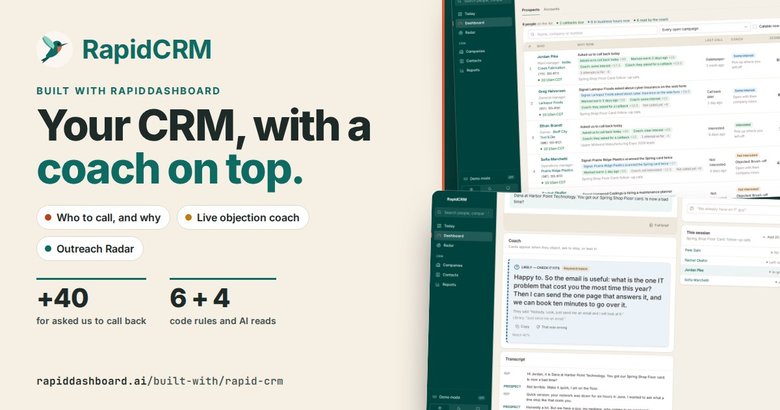
RapidCRM reads the CRM you already run (companies, contacts, deals, the dialer, call and meeting transcripts) and tells each person who to call, why, and what to say. It coaches live on calls, checks every mailing like a worked list, and scores every call. It is a coach, not another copy of your CRM.
 Real screen · fictional data
The real app · fictional data
The screens a Harbor Point rep works from
These are screenshots of the real RapidCRM, running on a copy loaded with a fictional company: Harbor Point Technology sells managed IT to Midwest manufacturers. What you see here is what you get. Pick a screen, then tap the numbers.

Today
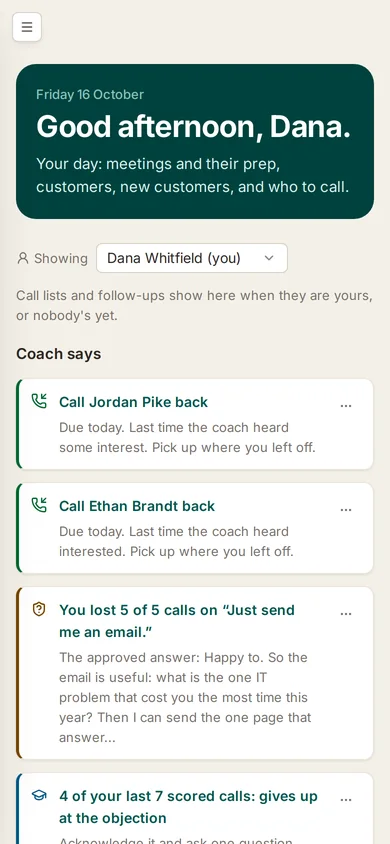
Each rep starts here. The Coach picks the few things that matter this morning: callbacks that are due, an objection being lost, a habit worth fixing. Your schedule and customers sit underneath.
- 1Coach says. Three to five next steps, written as instructions, each with the reason behind it.
- 2Whose day. Defaults to you; a sales lead can look at any rep.
- 3Your day. Free time on your calendar, sized as how many calls fit in it.
- 4Start notes. One tap records a meeting and turns it into one summary.

Dashboard
One card per list a rep works from: who to call, meetings, notes, tasks, what is coming up and deals. Each card opens the full list.
- 1Calling. Callbacks due and people to call, with Start dialing one click away.
- 2Coming up. Callbacks and deal steps for the next seven days, late ones in red.
- 3Your deals. Read-only: the pipeline stays in your CRM.

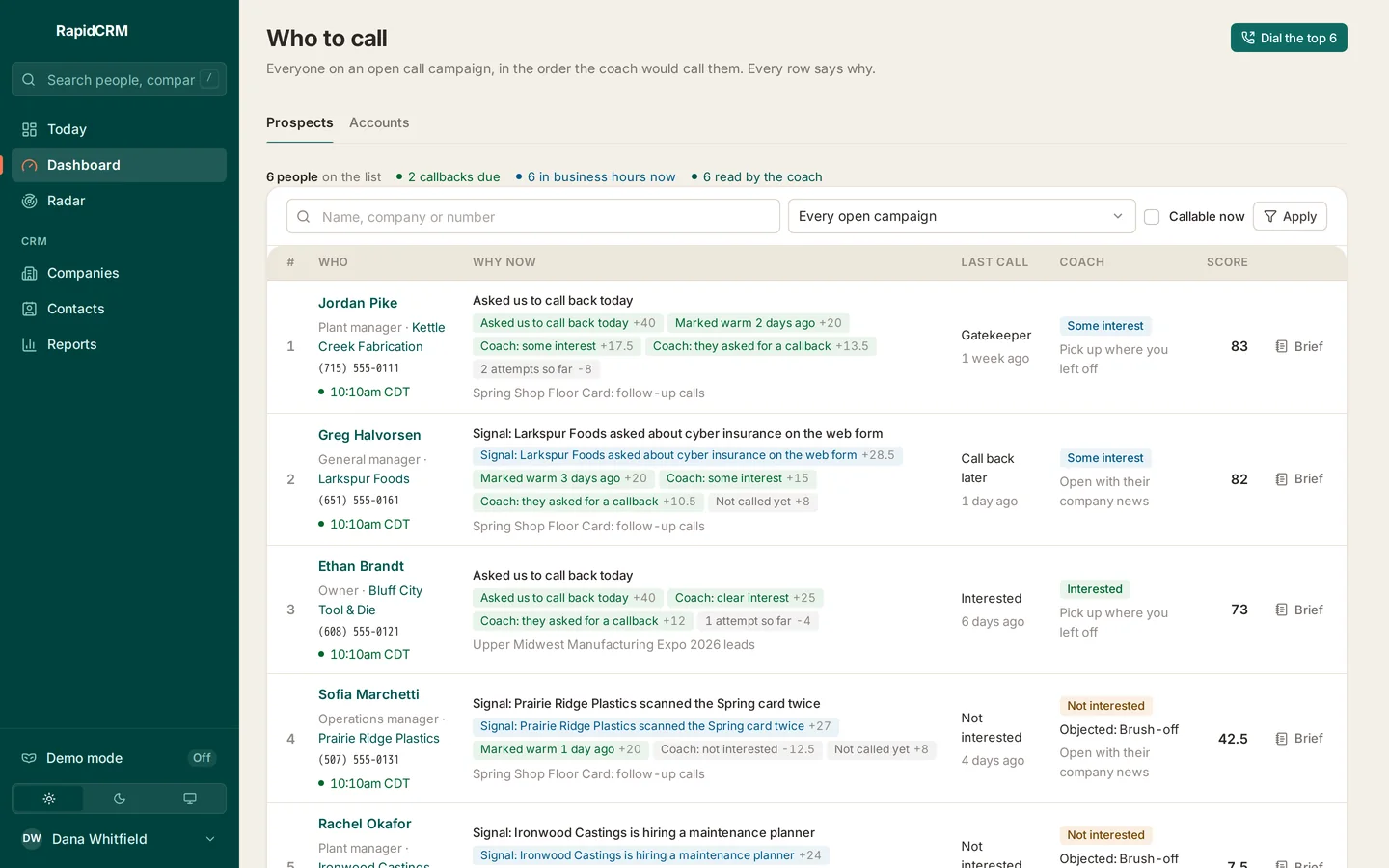
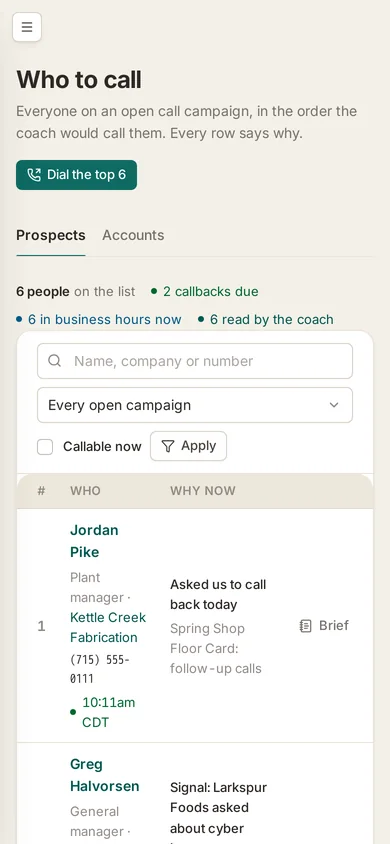
Who to call
Everyone on an open call campaign, in the order the Coach would call them. Every row says why: points from fixed rules (asked us to call back, marked warm, attempts) plus the Coach's read of the last conversation.
- 1Why now. Each point on its own chip: rules in green, Coach reads marked "Coach".
- 2Coach. What the Coach heard last time, and how to open.
- 3Score. The total that ranks the list.
- 4Callable now. Do-not-call, bad numbers and people outside business hours are filtered by rules, never by AI.
- 5Dial the top 6. Hands the list to the dialer in your CRM.

Pre-call brief
One page before the call: why now, the opener, the goal, what was said last time and who on the team knows them.
- 1Why now. The reasons from the queue, in plain words.
- 2Open with. A suggested first line that picks up where the last call left off.
- 3The relationship. Every touch so far, the open deal and its next step.
- 4Who knows them. Which reps have spoken to this person, and when.

Dialing
The CRM's power dialer rings the list. This page sits beside it: who is on the line, why you are calling, what to open with, and who is next.
- 1Live with. The call that is connected now.
- 2Steps. Connect, ring, talk, wrap up.
- 3Open with. The line to start on.
- 4What do I say to…. Type what they said; approved answers filter as you type.

Live coach
When the prospect objects, a card appears with the answer the team agreed works, matched against the live transcript.
- 1Approved answer. From the objection library, matched to what they just said.
- 2That was wrong. One click flags a bad match so the library gets better.
- 3Live transcript. The line that triggered the card is highlighted.

Outreach radar
Not a lead score: a check on what actually went out. Postcards, email blasts and blog posts by week, and the groups nobody has checked yet.
- 1Last 30 days. Postcards, email blasts and blog posts sent.
- 2By week. Each dot is a week; bigger means more went out. Dashed is planned.
- 3Check it. Looks right, something's off, or not outreach: one tap each.

Outreach groups
Every postcard campaign, email blast and planned run as one line, with what was sent, to how many companies, how many responded and whether anyone checked it.
- 1Search and filter. By name, program, channel, status, review state and dates.
- 2Planned. Runs that are lined up but not sent yet.
- 3Totals. Groups, sent, companies and responses for the filter.
- 4Checked. Who reviewed each group, and what they said.

One mailing
One postcard group: every company it went to, which ones scanned the QR code, the card itself front and back, and each wave.
- 1Response. Companies that scanned the QR; bulk test scans are left out.
- 2Scanned. Responders are listed first.
- 3The card. The actual front and back each company received.
- 4Waves. A gap of more than two days starts a new wave.

Company
The company record: the facts that matter, the research takeaway and angle, a box to log activity, and the Coach's next steps for this account.
- 1Fit and angle. How well they fit, and which offer to lead with.
- 2Coach. What to do here, most important first, each with its reasons.
- 3Log activity. Note, call, email, meeting or task, saved to your CRM.
- 4Call. Call the main contact straight from the record.

Timeline
Calls, notes, emails and meetings on one timeline, plus people, open deals and the story behind every follow-up.
- 1Live now. A call in progress shows at the top, one click from coaching it.
- 2Review the call. Every transcribed call opens its scorecard.
- 3Why this follow-up. What we are after, what we told them and what they said.
- 4Open deals. Stage, next step and amount, read from your CRM.

Map
Every company plotted at its street address, coloured by status and sized by employees.
- 1Pins. Prospects and clients; split pins mean mixed statuses.
- 2Legend. Bigger means more employees.
- 3List or map. The same filters drive both views.

When to call
When calls reach the decision maker, by weekday and hour in the prospect's own time: answered, past the gatekeeper, then decision maker.
- 1Answered. Share of calls someone picked up.
- 2Past the gatekeeper. Of the calls a gatekeeper answered.
- 3Decision maker. The one that matters; the strongest three hours are outlined.

Objections
The objection library: what prospects say, the answer the team agreed works, and how often each one comes up on calls and in meetings.
- 1The answer. The approved response the live coach shows on calls.
- 2Heard. How often it came up, on calls and in meetings.
- 3By industry. Which objections come up where.

Call review
Every transcribed call, newest first, with its scorecard on the row: discovery, objection handling, the next step.
- 1Scorecard. Callback agreed, objection handled, how good the discovery was.
- 2Gave up. Calls that stopped at the objection, so a lead knows what to coach.
- 3Filters. By rep, outcome, score, dates or calls with an objection.
Real screens from RapidCRM, on a copy loaded with a fictional company. On this copy the coach reads and scorecards were loaded with the sample data; in a live system the Coach writes them itself every 10 minutes.
How the Coach decides
Code sets the rules. AI reads the conversations.
Who is allowed on the list is a code decision, every time. The AI only reads what people said and adds its view to the score, and you can see every point.
Hard filters code
Then six features
- Callback due or overdue
- Attempts so far
- Days since last touch
- Age of the newest signal
- Decision maker reached
- Last disposition
Four AI reads the Coach
- Buying interest in the last conversation
- Did they ask for a callback?
- Is the newest signal worth a call this week?
- The best opener angle
Also on every call
- Live objection coach with approved responses
- Buying signals: "ask for the meeting"
- Scorecards and a suggested wrap-up
A ranked queue
- One weighted score
- Every point shown
- A suggested opener
- Re-read every 10 minutes
You stay in charge
- You dial in your CRM's dialer
- You file the disposition
How it's built on RapidDashboard
Four steps from your CRM to a coach
Connect the CRM of record
RapidDashboard reads and writes your CRM's database: companies, contacts, deals, the power dialer and its call transcripts. Nothing is copied into a second CRM.
Add the conversations
Microsoft 365 calendars, mail and Teams meeting transcripts, plus one-tap notes recorded and transcribed on the device.
Add the signals
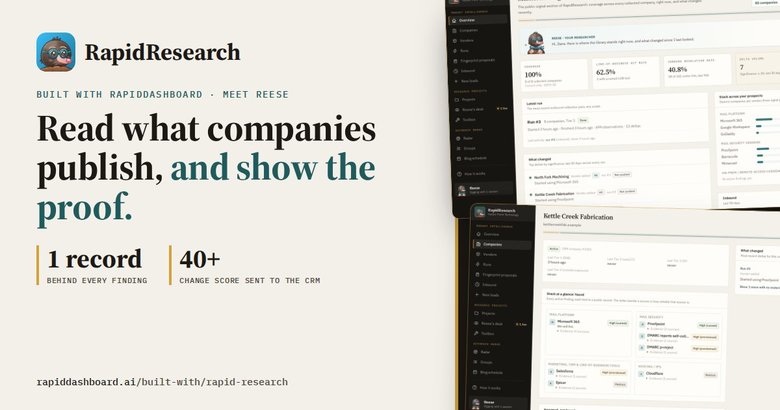
RapidResearch puts a takeaway on each company. Postcard QR scans land on a RapidTradeshow page and count as responses on the Radar.
Let the Coach read
Every 10 minutes it re-reads calls, meetings and signals, re-ranks the queue and writes short next steps with the evidence under "Details".
What reps see
- Today: what matters now
- Who to call, with the reasons
- A live coach on every call
- A pre-call brief on every person
What leads see
- Call flow and scorecards
- Objections by step and industry
- Account health reads
- Outreach checked like a worked list
What it never does
- Dial for you or file your wrap-up
- Edit deals: they are read-only
- Override a do-not-call or local-time rule
Questions
Good to know
Does it replace our CRM?
No. Your CRM stays the record. RapidCRM is a narrow front end on top of it that reads the same data and tells each person what to do next. Notes and activities you log go back to the CRM.
Does the AI decide who we call?
It adds a view, not the rules. Do-not-call, bad numbers, paused contacts, people already called today and anyone outside 8am to 9pm their local time are removed by code before the AI is asked anything. Every point in a score is shown.
What happens on a live call?
You dial in your CRM's power dialer as usual. RapidCRM reads the live transcript, shows the approved response when an objection comes up, flags buying signals, then scores the call and suggests a wrap-up. You file the disposition in the CRM.
What is the Outreach Radar?
A check on what went out: postcard waves, email blasts found in synced mailboxes, drips and planned runs. Each group is reviewed like a worked list: looks right, something is off, or not outreach. It is not a lead score.
Do we have to press anything for the Coach?
No. It runs in the background every 10 minutes and writes short, imperative next steps, with the evidence folded under Details.
Is the data on this page real?
No. Harbor Point Technology, its reps and every prospect are fictional, and every figure is illustrative. The screens are the real app, running on a copy loaded with that fictional company.
Put a coach on top of your CRM
Fifteen minutes with a RapidDashboard coach: bring the question your reps ask every morning, leave knowing how RapidDashboard would answer it from the CRM you already run.