RapidResearch · market intelligence with Reese
Read what companies publish, and show the proof.
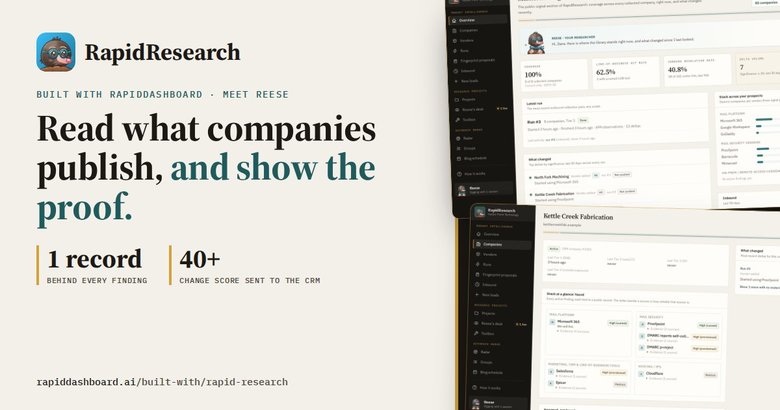
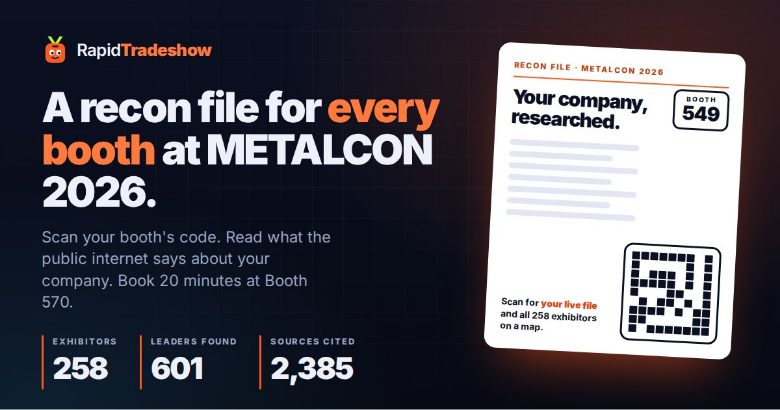
Every company publishes a surprising amount about how it runs. RapidResearch reads that public record, names each vendor with the exact record that proves it, and tells you what changed since it last looked. The changes worth a call go to your CRM with an opener. Its researcher, Reese, also works through whole lists: a trade show's exhibitors, or customers coming up for renewal.
 Real screen · fictional data
The real app · fictional data
The screens Harbor Point's sales team works from
These are screenshots of the real RapidResearch, running on a copy loaded with a fictional IT provider, eight fictional manufacturers and a fictional trade show. What you see here is what you get. Pick a screen, then tap the numbers.
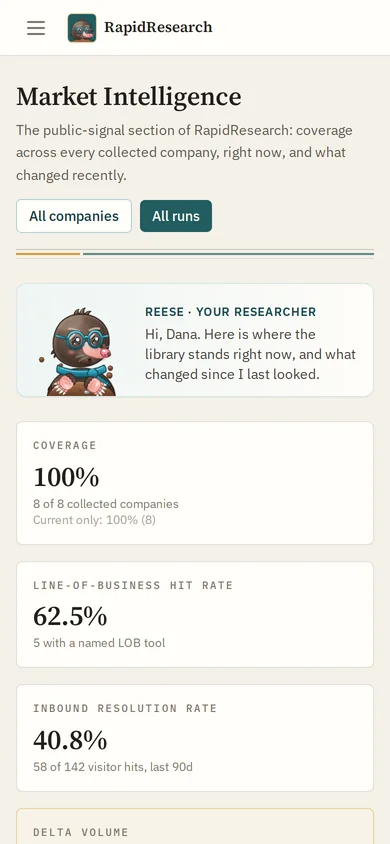
Overview
Reese opens with where the library stands and what changed since the last look: coverage, how many companies have a named line-of-business tool, how many website visits were resolved, and the changes worth a call.
- 1Reese. Your researcher, with a one-line summary of what is new.
- 2Coverage. How many companies have a solid, current finding.
- 3Delta volume. Changes that scored 40 or more in the last 30 days.
- 4What changed. The biggest changes first, each with its score and whether it reached the CRM.
- 5Stack across prospects. Mail platform and mail security across every company you track.

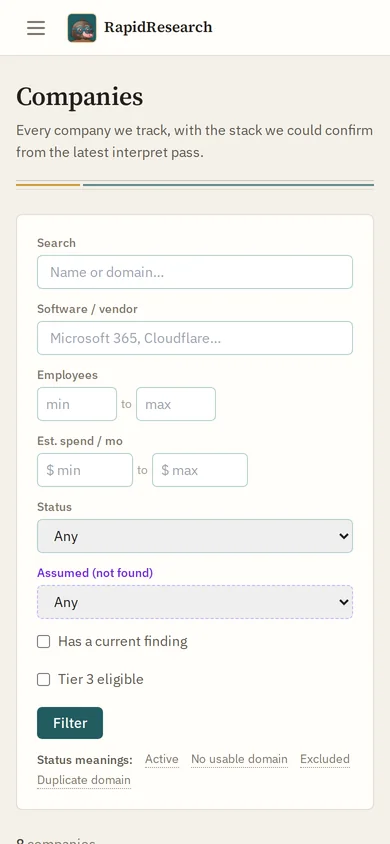
Companies
Every company tracked, with the mail platform and security found in its public records, how many findings it has and when it was last collected.
- 1Mail platform. Read from the company's own mail records.
- 2Security. Sender policy (DMARC) as published: none, quarantine or reject.
- 3Collect. Start a new pass for exactly the companies on screen.
- 4Filters. By software, size, estimated spend, status and assumed-not-found.

Company
One company: every finding tied to a public record, grouped by mail, security, line-of-business tools and hosting, each with how sure it is. What changed sits on the right.
- 1We sell this. A finding for something you sell is marked for the rep.
- 2Evidence. Open it to see the exact records that prove the finding.
- 3Confidence. High, medium or provisioned, and whether it is current.
- 4What changed. Started using Proofpoint this run, scored 60.
- 5Assumed, not found. Educated guesses where the record is quiet, never sent to the CRM.

A change
The strongest kind of change: a company moved its mail from an in-house server to Microsoft 365 between runs. Both sides show, so the rep knows what to ask.
- 1Vendor added. Started using Microsoft 365, scored 70.
- 2On-prem mail gone. Moved off its in-house mail server.
- 3Still on site. The old self-hosted record still shows, faded, as background.

Vendors
The library of software and services Reese can name in a prospect's stack: how each is detected, how many prospects use it, list price and your stance on it.
- 1Found by. Every kind of public record that identifies this vendor.
- 2Prospects using it. How many of your companies run it today.
- 3Our stance. We sell this, we compete, or not set; plus what we offer instead.

One run
A run is one pass over a set of companies. It is collected, interpreted into named vendors, compared with the last run, and the changes worth a call are pushed to the CRM.
- 1The pipeline. Each step runs on the hourly schedule, or now with its button.
- 2Push to CRM. Changes scored 40 or more go to the CRM as signals with an opener.
- 3Meaningful changes. How many changed enough since the last run.
- 4Top changes. Each row is a reason to reach out, with the evidence.

Proposals
When Reese spots a pattern she cannot name yet, it becomes a proposal. Nothing becomes a finding until a person accepts it.
- 1Evidence. The exact text that was seen, word for word.
- 2Seen at. Which company it was found at.
- 3Review and accept. Or reject it, with a reason.

Inbound
Website visits and postcard scans, each resolved to a company where the public records allow it. Most visits honestly stay unknown, and that is the expected answer.
- 1Resolution. How the visit was matched, and how sure that is.
- 2Company. Matched at company level only, never a person.
- 3Unresolved. Kept unknown, with the reason why.
- 4Postcard scan. A scan of a printed QR code counts as a visit too.

New leads
Businesses seen on the website that are not in the CRM yet. Nothing is created automatically: a person reviews each one and adds it or dismisses it.
- 1The business. Who the network belongs to, from the public registry.
- 2Add to CRM. Or dismiss it. A person always decides.
- 3Raw evidence. The registry record, as it came back.

Projects
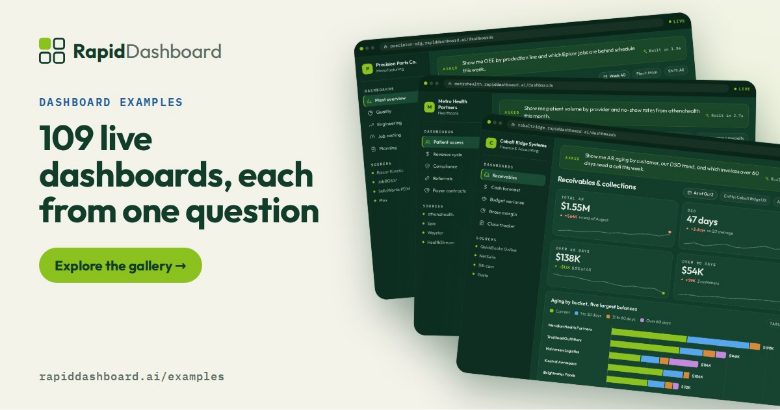
A project is a question about a list, for a deadline: which exhibitors are worth a conversation at our booth, which customers show a change before renewal. What a project finds goes into the library for the next one.
- 1The question. Each project starts from a plain question.
- 2Tiers. How the list sorted out so far.
- 3Working now. Reese is on it right now.

Live desk
Watch Reese dig through a project as it runs: what was read, what was found, and how many companies it touched. Tool and target only, never prompts or page text.
- 1Digging. What Reese is working on, live.
- 2What Reese found. Every find has its quote.
- 3Counters. Pages read, searches, companies touched, files and commands.

Ranked list
The project's list ranked by fit: booth, tier and score, relationship, why it is worth a stop, the mail platform and systems found, and how many facts are still open.
- 1Tier and fit. A to D and a score out of 100.
- 2Why stop. The reason to talk to them, in one line.
- 3Facts. How many facts back the row, and how many are still open.

Review
Claims wait here until they have a quote from a page and a person accepts them. The AI can help, but only accepts a claim when it finds the exact words on a cited page.
- 1Waiting. Claims with a quote attached, ready to accept.
- 2The quote. The exact words from the cited page.
- 3Accept. Or mark unknown, or reject.
- 4AI review. Checks the words against the page by code. Any AI accept can be undone.

Deliverables
What the project hands over: the ranked list as a spreadsheet, and a booth route of the best prospects in walking order, each with why to stop and an opener.
- 1Ranked list. Every row with its source and this project's judgement.
- 2CRM push. Not built yet, and the app says so.
- 3Opener. An honest first line for each stop.
- 4Our booth. The route is sorted by booth number around ours.

One company
One company inside a project: facts on the left, each with its quote, whether a person checked it and where it came from; this project's judgement on the right.
- 1A checked fact. The quote, the source and the date read.
- 2Needs a quote. A fact without proof is marked, not hidden.
- 3Fit. 88 out of 100, tier A, rank 1, and why.
- 4People. Business roles only. No email, phone or home address is stored.

Reese's desk
Every research session on the box in one place: who is driving it, what it is on now and what it has dug through.
- 1Live. Updated from the sessions every few seconds.
- 2Found. Each find with its company and time.
- 3Who is working. The people and sessions doing the research.

How it works
The app explains itself: one record per company, many small collectors, and the exact record behind each finding.
- 1One record. A mail record, read and named: Microsoft 365, high confidence.
- 2The library. Companies, findings and vendors it can recognise.
- 3Outbound and inbound. Profile a known company, or match a visit to one.
Real screens from RapidResearch, on a copy loaded with a fictional IT provider and eight fictional manufacturers. On this copy only public DNS records were collected, so the stack findings come from those.
How a run works
One pass over a list, four steps
A run collects what is already public about a set of companies. Nothing touches a prospect beyond what any visitor would see. Each step runs on the hourly schedule, or now with a button.
Collect
Public records first: mail routing, sender policy, verification records and subdomains. Then the homepage, certificate logs and registry lookups.
Interpret
A library of vendor fingerprints turns raw records into named vendors, such as Microsoft 365 or Proofpoint, each with how sure it is.
Compare
Findings are compared with the last run. A vendor that appeared, disappeared or changed becomes a change, scored 0 to 100.
Push
Changes scoring 40 or more go to the CRM as signals, with a headline and a suggested opener, on the company's timeline.
Ground rules
What Reese will and won't do
Shows the proof
Every finding carries the record it came from. Every project fact carries a quote and a date, and waits for a person to accept it.
Says "unknown"
Most website visits honestly resolve to unknown. Guesses where the record is quiet are labelled as assumptions and never sent to the CRM.
Keeps people to their roles
People are stored by business role only: no email, phone or home address. Visits are matched to a company, never a person.
Questions
Good to know
Where does the information come from?
From what companies publish about themselves: public DNS records first, then the homepage, certificate logs and registry lookups. Research projects add pages such as job postings and news, each quoted.
How does it reach the sales team?
Changes that score 40 or more are pushed to the CRM as signals, with a headline and a suggested opener on the company's timeline. A research project hands over a ranked list and a booth route; sending a project straight to the CRM is not built yet, and the app says so.
Who is Reese?
Reese is the researcher in RapidResearch: a mole in glasses who digs through the public record. Reese's desk shows every research session as it works, with what it read and found.
Does it contact the companies it researches?
No. It reads what any visitor could see. Nothing in a run touches a prospect, and starting a run changes nothing in the CRM; only the push does.
Is the data on this page real?
The screens are the real app. The data in them is not: Harbor Point Technology, the eight manufacturers, their people, the trade show and every figure are made up, and every domain ends in .example.

Put Reese on your next list
Fifteen minutes with a coach: bring a list, a show or a set of customers, and see what their public records already say.